Airtable alternatives for a team that outgrew it (2026), including building your own

- Published
- 24 November 2026
- Prices checked
- 24 November 2026
If the seat bill is the problem, Baserow ($10 a seat) and Teable ($13) look and work like Airtable, and both can be self-hosted for free. If clients need logins or money moves through the base, build your own app: about $65 a month to run, however many editors and users. Automations and interfaces don't import to any of them.
Airtable alternatives compared
| Option | What it is | Price (list) | Better than Airtable at | Where it stops |
|---|---|---|---|---|
| Baserow | Open-source database with Airtable's grid; cloud or self-hosted | $10 a seat a month (Premium), $18 (Advanced), billed yearly; Free cloud plan with 3,000 rows | Self-hosted installs have no usage limits; imports a whole Airtable base from a share link | Cloud plans still charge per seat; self-hosting means you run the server |
| Teable | Airtable-style grid built on PostgreSQL | $13 a seat a month (Pro), $20 (Business), billed yearly | 250,000 rows on Pro and 1,000,000 on Business; free to self-host (AGPL) | Its own migration page says apps, permissions and automations get rebuilt |
| NocoDB | Spreadsheet screens on top of a SQL database you already have | Free for up to 3 users; free self-hosted Community edition; paid cloud plans per seat | Connects to PostgreSQL, MySQL, SQL Server and Oracle | Its licence limits use to your own internal business, non-commercial or personal purposes; no outside databases on the Plus plan |
| SmartSuite | Work-management app with records, priced per seat | $15 a seat (Team, 3 seats minimum), $32 (Professional, 5 minimum), billed yearly | Professional holds 100,000 records per solution | Team stops at 5,000 records; we found no Airtable import on its site, only CSV |
| Notion | Docs and wikis where a database is a collection of pages | $10 a seat (Plus), $20 (Business) | Up to 250,000 rows per database, next to the docs your team already writes | Notion's help page says big databases load more slowly |
| Keep Airtable, add Softr | A portal on top of your existing base | Softr from $19 a month (5 team + 5 client users), billed yearly | Clients log in to a portal; Softr reads Airtable on every plan, Free included | Airtable stays the database, with its seat bill and record limits |
| Your own app in code | Postgres (we use Supabase) plus screens built for your process | About $65 a month to run for any number of users, plus the build | No seats; row-level security in the database; outside logins are rows in a table | Someone has to own it; a new field is a code change |
Prices and limits from each vendor's own pages, read 24 November 2026 (Baserow, Teable, NocoDB, SmartSuite, Notion, Softr). NocoDB's paid cloud prices are left out because its plan cards and comparison table list different numbers. Own app = Supabase Pro + a Vercel Pro seat + Claude Pro for changes, checked 15 November 2026.
For comparison, Airtable itself charges $20 a seat on Team and $45 on Business (billed yearly), with 50,000 and 125,000 records per base. Those prices were the same on 15 and 24 November 2026. Airtable has been part of Bending Spoons since 4 September 2026, when the acquisition closed, according to Airtable's newsroom. Our full breakdown by team size is in Airtable pricing.
Which alternative fits, by why you're leaving
| Why you're leaving | Look at first | Why |
|---|---|---|
| The seat bill grows with every hire | Baserow or Teable self-hosted, or your own app | Self-hosted installs have no per-seat licence; your own app's running cost doesn't change with headcount |
| A base hit 50,000 or 125,000 records | Teable, Notion, or your own app | Teable Pro holds 250,000 rows, a Notion database 250,000; Supabase Pro includes an 8 GB database |
| Clients or partners need their own login | Softr on top of Airtable, or your own app | Softr adds a portal without moving data; in your own app each client sees only its rows |
| Data has to sit on your own servers | Baserow, Teable or NocoDB Community | All three have free self-hosted editions; check NocoDB's licence if you sell the software |
| Money, approvals or a step-by-step flow runs through the base | Your own app | You get a log of every step, and the database itself blocks a step that breaks a rule |
| Your team wants docs and data in one place | Notion | A Notion database sits inside the pages people already edit |
Limits from Teable, Notion's help centre, Supabase, Baserow and NocoDB's licence, read 24 November 2026.
If you are leaving because of the new owner, export first. A CSV of every table plus screenshots of each view and interface is enough to rebuild anywhere.
Where Airtable is still the better pick
We have moved clients off Airtable, and we'd still keep it when:
- An ops person reshapes the base every week. Adding a field or a view takes a minute in Airtable. In your own app it is a code change.
- The team is small. The Free plan covers 5 editors and 1,000 records per base. Team at $20 a seat for a handful of editors costs less than any build.
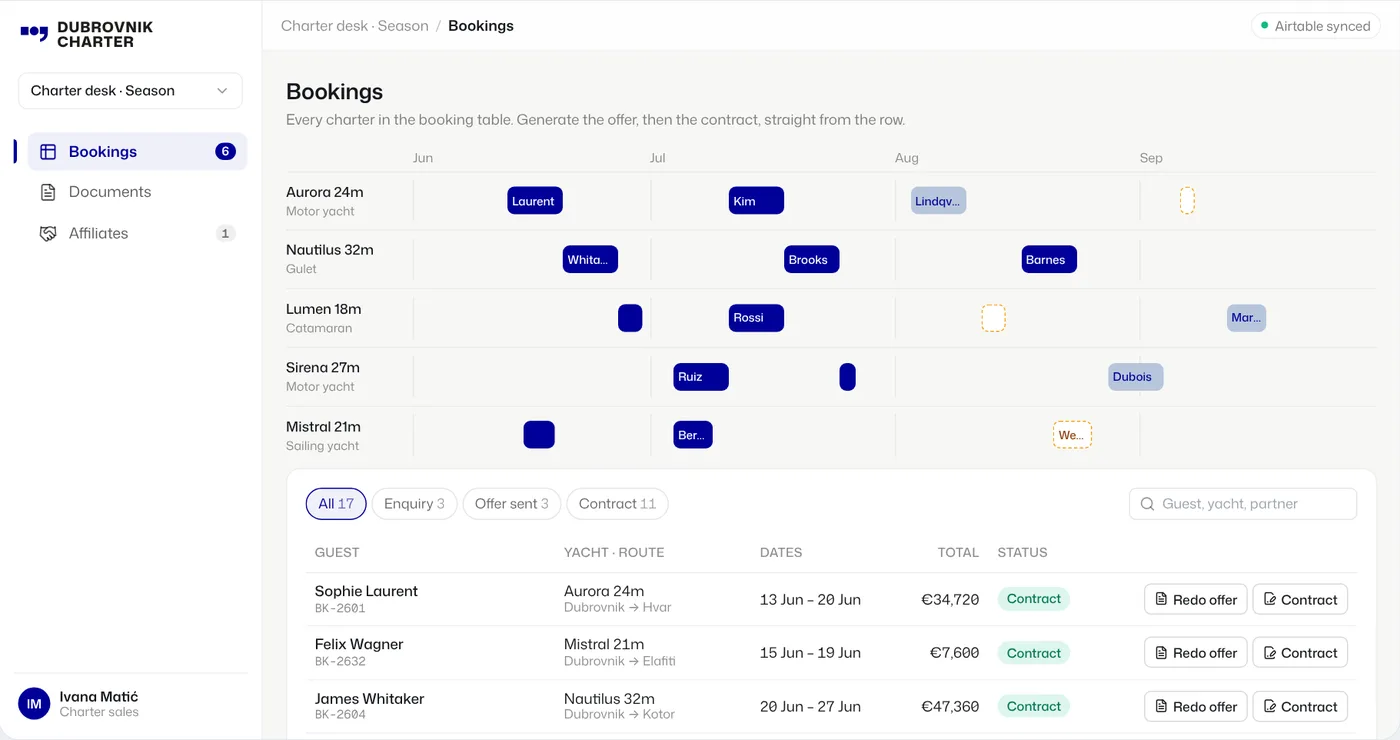
- The base turns records into documents. For Dubrovnik Charter, a yacht-charter agency, we connected Airtable to Google Docs through Make, so a booking record becomes a finished offer in one step. Airtable plus Make already does that job, and a move would only rebuild it.
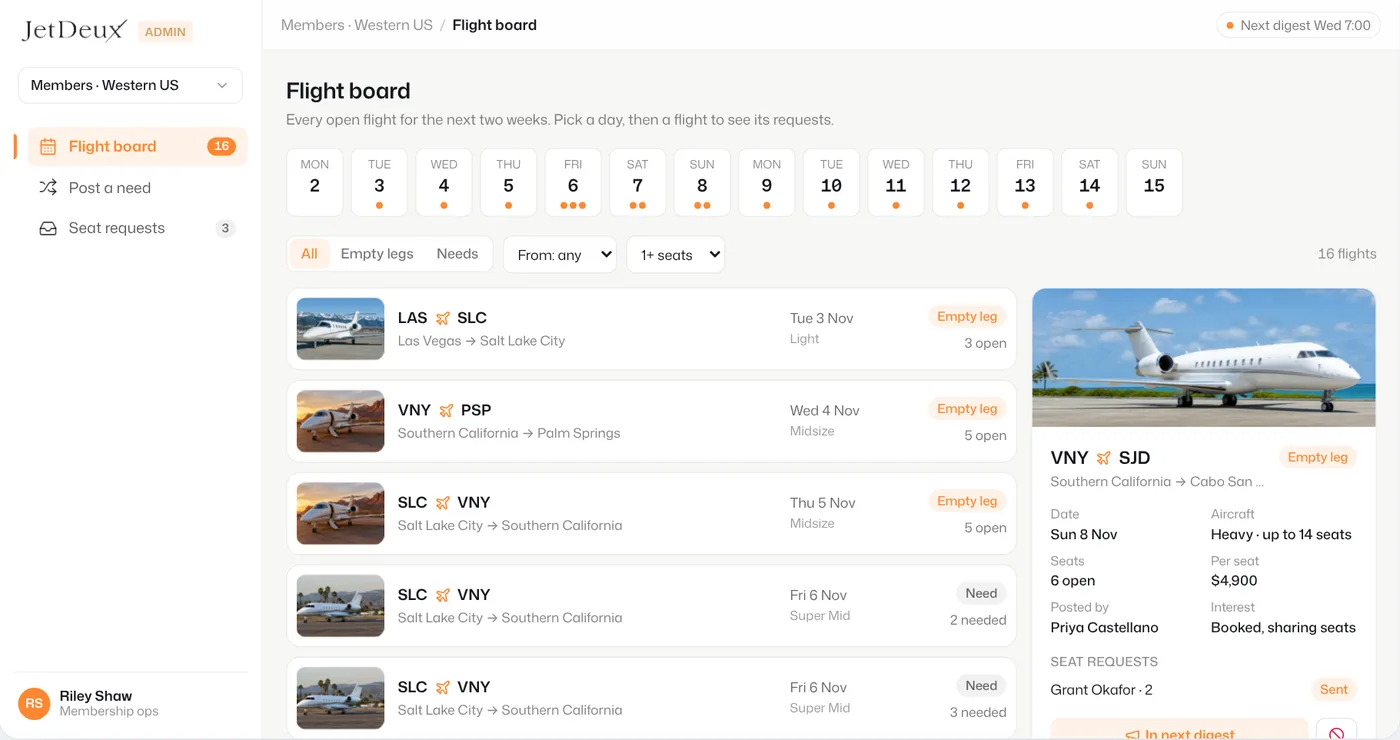
- It is an MVP. JetDeux's core matching app took 2 weeks on Bubble and Airtable and ran for 5 months with real members.
What each option costs at 5, 15 and 40 editors
| Option | 5 editors | 15 editors | 40 editors |
|---|---|---|---|
| Airtable Team | $100 | $300 | $800 |
| Airtable Business | $225 | $675 | $1,800 |
| Baserow Premium (cloud) | $50 | $150 | $400 |
| Teable Pro (cloud) | $65 | $195 | $520 |
| SmartSuite Professional | $160 | $480 | $1,280 |
| Notion Business | $100 | $300 | $800 |
| Own app: database, hosting, Claude for changes | $65 | $65 | $65 |
Our arithmetic on list prices read 24 November 2026 (Airtable, Baserow, Teable, SmartSuite, Notion) and 15 November 2026 (Supabase Pro $25, Vercel Pro seat $20, Claude Pro $20). SmartSuite Professional is shown because its Team plan stops at 5,000 records. Self-hosted Baserow, Teable and NocoDB cost $0 in licences plus a server we haven't priced. Own app excludes the build, AI usage by the app and email sending.
At 5 editors the per-seat options run from $50 to $225 a month, so the record limits in the first table matter more than the price gap. At 15 editors on Airtable Business you pay $675 a month. Baserow Premium cuts that to $150, and your own app runs on $65, which leaves $7,320 a year to pay for a build. On Airtable Team the same 15 editors pay $300, so the gap is $2,820 a year. Our builds start at $1,990 for a working version of one process in about a week.
The $65 is paid by you, straight to the database, hosting and Claude providers, and the app runs in your accounts. After launch, someone makes the changes: a person on your team using Claude Code, or a developer you hire, which can be us.
At 40 editors the per-seat options range from $400 to $1,280 a month. Count only the people who edit before comparing; the others can read a shared view, or log in through a portal like Softr.
What we built on Airtable, and where each would go today
Between 2021 and 2024 we built six client systems with Airtable as the database. We would move three of them today.
| Client | What Airtable held | What we'd use today | Why |
|---|---|---|---|
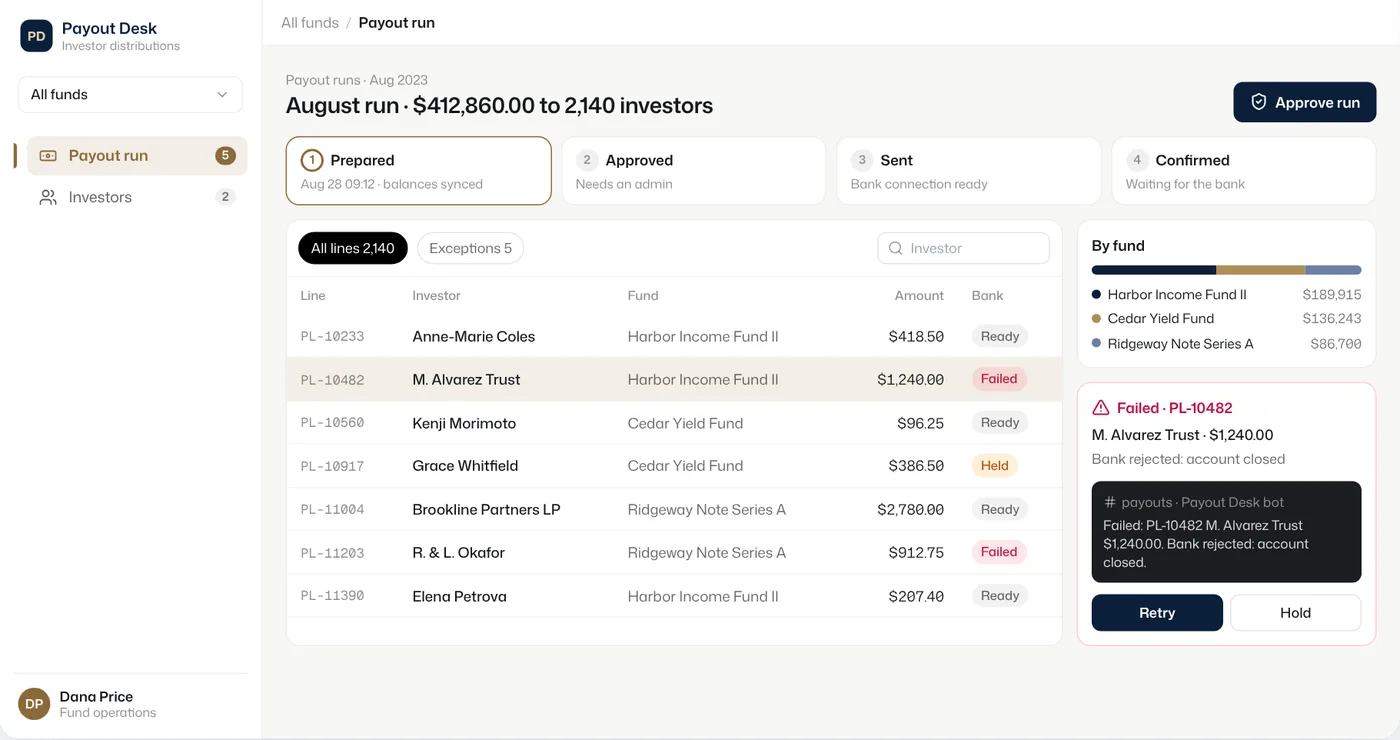
| US private investment firm | Payout base behind Bubble investor and admin portals, with Make | Own app in code | $300–500K paid out every month; money needs a logged, step-by-step flow and 2FA logins |
| Arrenda1 | Leasing onboarding data, at the start | Own app (it already moved) | We moved the data to Supabase during the build for logs and file storage per client |
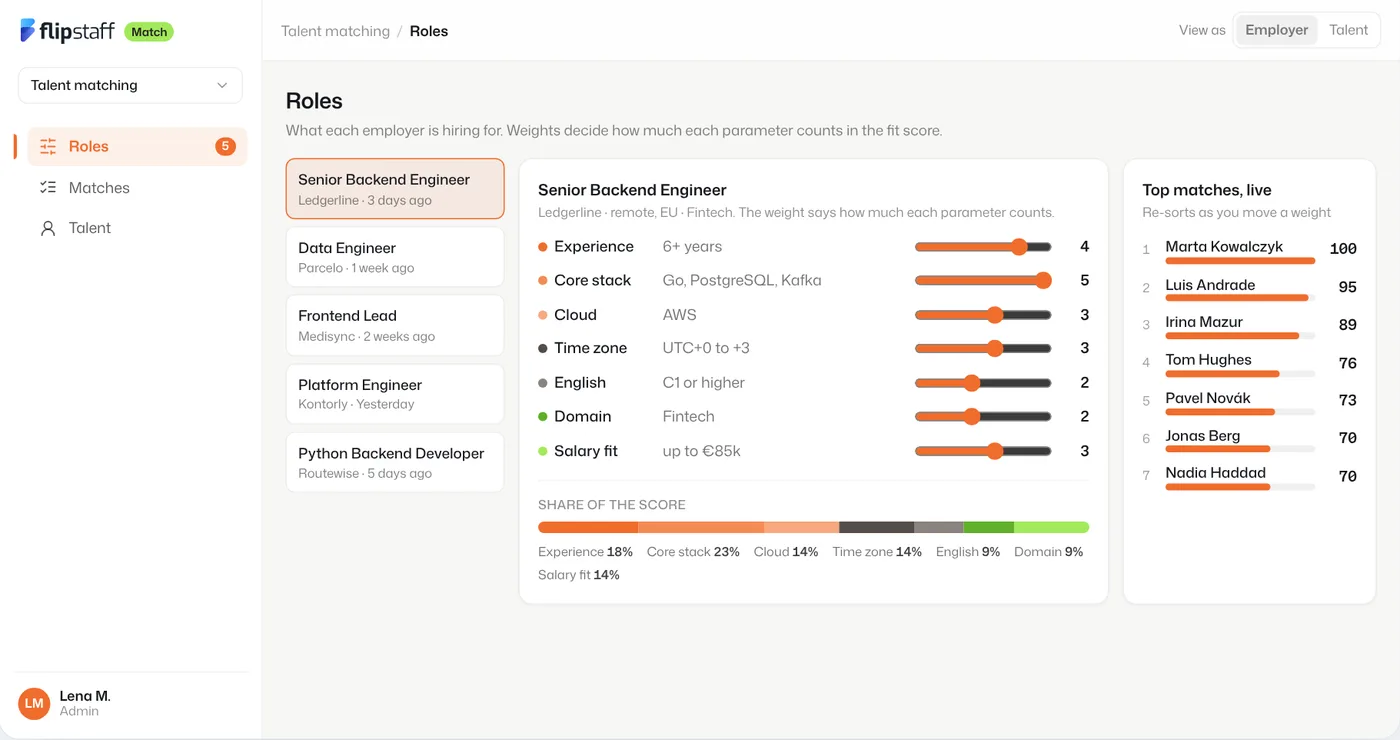
| Flipstaff (then DL Remote) | Employer and talent matching portal, two account types | Own app in code | Two outside user groups, each with its own login, and a scoring model the founders wanted to change quickly |
| Dubrovnik Charter | Booking records turned into offers and contracts | Keep Airtable | Small team, documents out, 1 step from record to offer |
| JetDeux | Members and flights behind a Bubble app | Keep Airtable for the MVP | Core built in 2 weeks; move when members outgrow it |
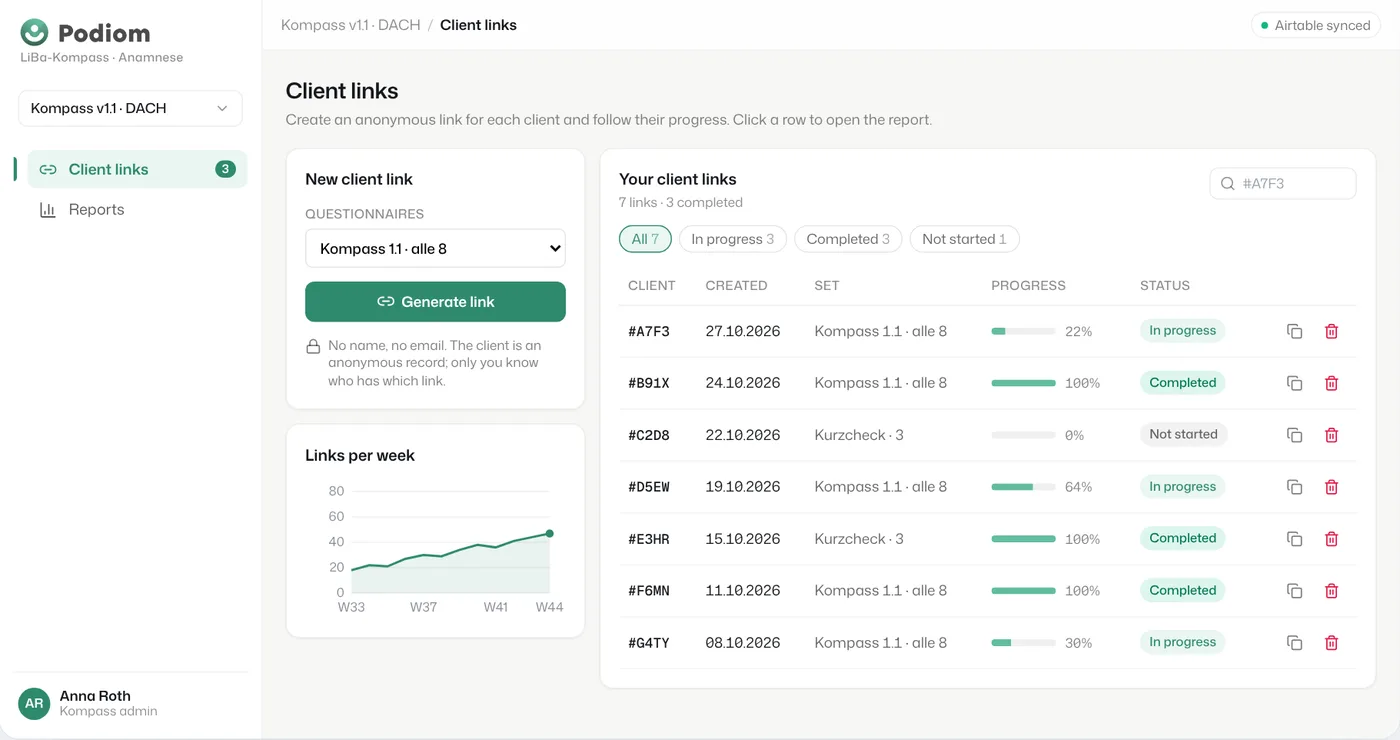
| Podiom Health | Questionnaires and answers behind Retool apps | Keep Airtable | The team edits questionnaire content itself, and no personal data is stored |
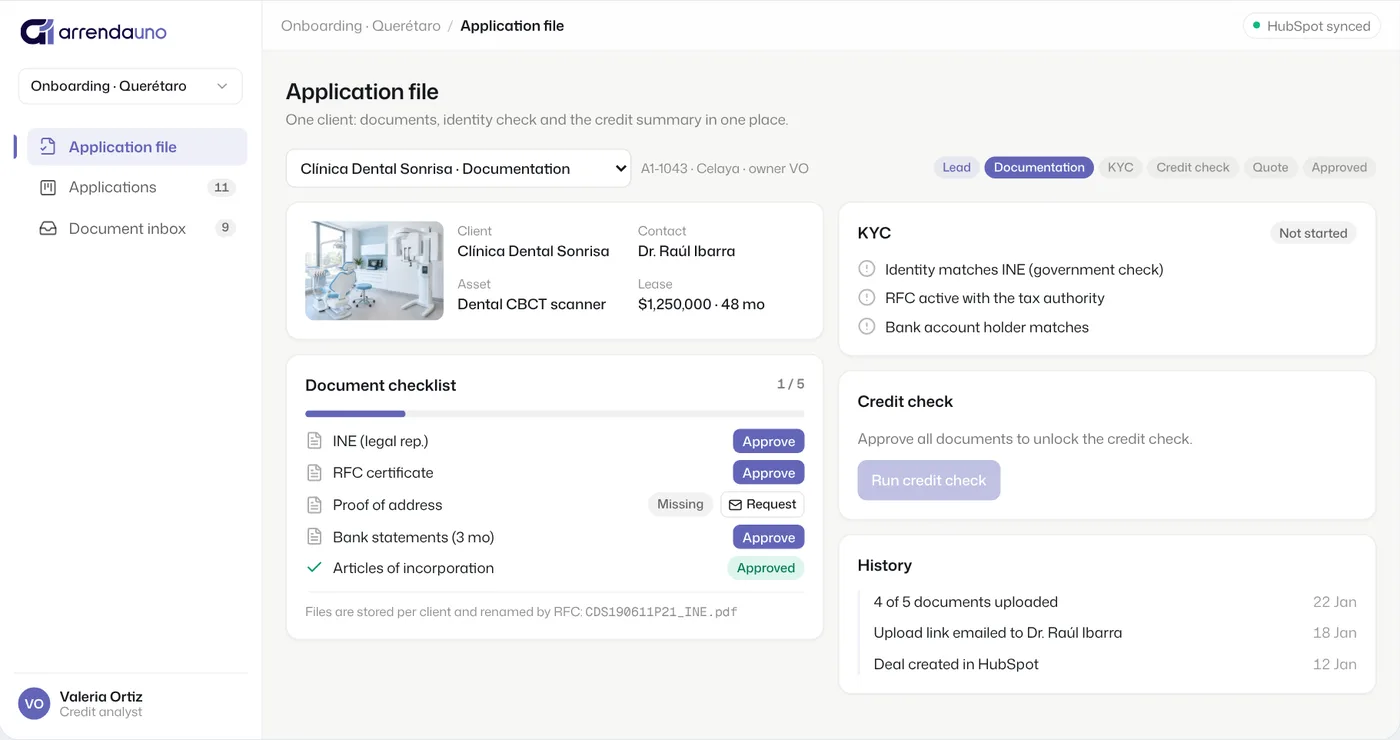
Arrenda1: leasing onboarding that moved off Airtable mid-build
AI runs on · Bubble front end, Airtable then Supabase for data, Make, HubSpot, a credit-bureau API
Arrenda1, a leasing company in Querétaro, Mexico, collected client documents through Notion and scattered Google Drive folders. We shipped a document-upload portal in one week, then a full onboarding flow with KYC checks, automatic credit-bureau reports in a one-page summary, and onboarding that starts when a HubSpot deal reaches the documentation stage.
We moved the data to Supabase in the first weeks of the build, while the base was still young and the copy was small.
Every application needed its own log and its own stored files, and neither Notion nor an Airtable base had a good place for either. Postgres in Supabase gave each client a log and file storage, and in February 2024 usage had grown enough that the database moved to a bigger plan.
How to move off Airtable, step by step
This order works for any destination; steps 4 and 5 are where the tools differ.
- List what you use. Bases, tables, record counts, automations, interfaces, and who edits what. Mark the fields and views nobody uses and leave them behind.
- Screenshot every view and interface. Airtable's API doesn't return view filters, sorts or rollup functions, so a screenshot is the only record of how a view was set up.
- Export each table to CSV and keep the files. They are your fallback whatever you pick.
- Import the data. Baserow imports a whole base from a public share link. Teable migrates bases with an Airtable personal access token. For your own app, our kit reads the base with a read-only token and copies it into Postgres.
- Rebuild automations and interfaces. No importer moves these, so plan the time (Teable says so on its own migration page).
- Repoint other tools. Zapier or Make scenarios and website forms that write to the base break at the switch, and anything that stored Airtable record IDs needs new ones.
- Run both for one cycle. Keep Airtable as the source, sync the new copy nightly, and compare totals before you switch.
- Make the base read-only. Turn off its automations and keep it as an archive.
airtable-exit: our free kit that moves a base into your own app
AI runs on · Claude Code, with Next.js on Vercel, Supabase and GitHub in your own accounts
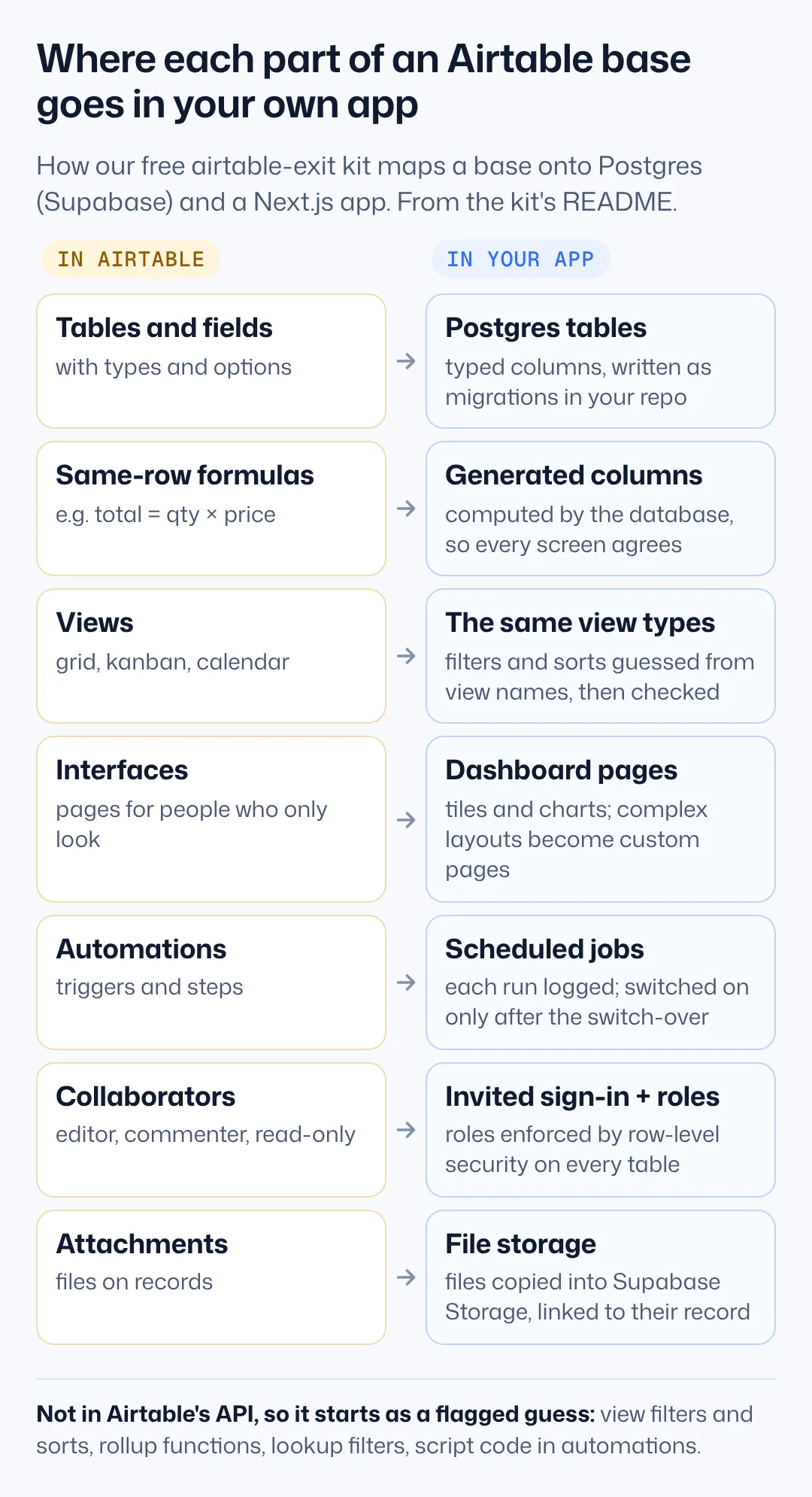
The kit runs the steps above for the own-app route as an open-source Claude Code plugin (github.com/hichock/airtable-exit, MIT). Claude reads the base read-only: tables, formulas, automations, interfaces and who edits what. It shows one plan, then builds the app in your GitHub, Supabase and Vercel, copies the data and runs a nightly sync until you switch.
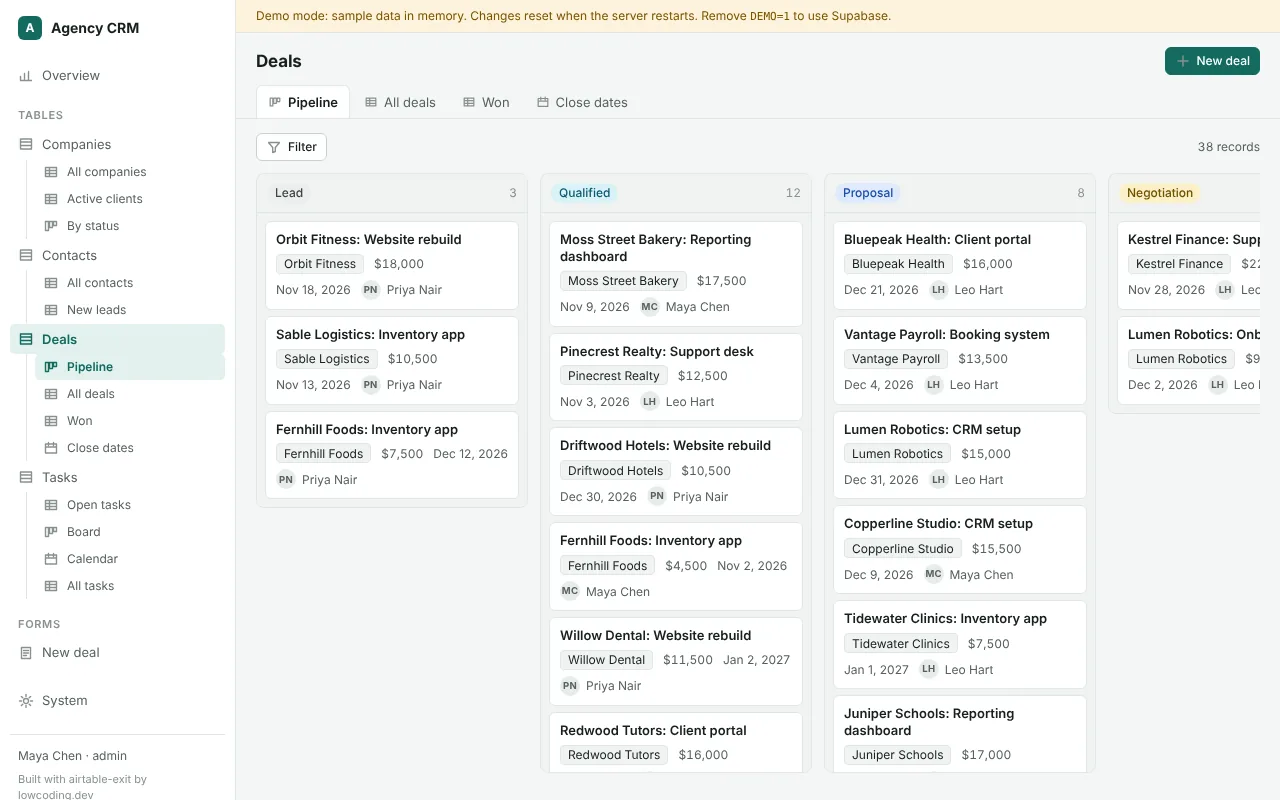
The app has the views people know from Airtable (grid, kanban, calendar, record pages, forms, dashboards), sign-in for invited people only, and roles enforced by row-level security. The kit sets hosting up on free tiers by default; the $65 in our tables is the paid setup we run client apps on (Supabase Pro, a Vercel Pro seat, Claude Pro). Claude Code needs a paid Claude plan either way, and the kit is for someone comfortable with Claude Code and GitHub.
Because of the API gap in step 2, the kit guesses view filters, rollup functions and lookup filters, flags each guess and compares values after the copy. It is unit-tested and its SQL tested on Postgres, but it hasn't run against a live customer base yet, which is why it starts read-only.
Why we build this in code now
We built on Airtable for years, and all six systems above shipped. We stopped starting new client builds there because of what the investment firm, Arrenda1 and Flipstaff needed.
At the investment firm, data lived in Airtable, automations in Make and screens in Bubble, so one rule change meant edits in all three. In the app we'd build today, that change is one commit with its history. The firm's investors and Flipstaff's employers and talent all needed their own logins, which in your own app are rows in a users table, with row-level security deciding what each person sees.
With Claude Code, a working app with a database, logins and a screen per role takes us about a week.
When not to move at all
- Nobody will own what replaces it. Self-hosted Baserow needs someone to update the server, and your own app needs someone to read changes and answer when a sync fails.
- The bill is the only reason and it is small. Moving 5 editors from Airtable Team ($100 a month) to Baserow Premium ($50) saves $600 a year, which rarely pays for the weeks of rebuilding automations.
- Other tools write to the base. Zapier and Make scenarios, website forms and stored record IDs all break at the switch (step 6), so list them before you decide.
Questions people ask
- Are there free versions of Airtable?
Yes. Airtable's Free plan allows 5 editors, 1,000 records per base, 100 automation runs and 1,000 API calls a month per workspace, and 1 GB of files per base. For a free alternative without those limits, Baserow, Teable and NocoDB all have free self-hosted editions (checked 24 November 2026).
- What is better than Airtable?
For a lower seat bill or self-hosting, Baserow or Teable. For more rows, Teable or a Postgres database. For clients who log in, Softr on top of Airtable or your own app. For docs and data in one place, Notion.
- Is Airtable just Excel?
No. A spreadsheet is a grid of cells; an Airtable base is tables of records linked to each other, with automations and editor permissions. In our Podiom Health build, questionnaires, questions, clients and answers were linked tables, so each client's progress rolled up by itself. In a spreadsheet you'd rebuild those links with lookups by hand.
- Does Microsoft have a version of Airtable?
Microsoft Lists is the closest. Lists and SharePoint lists run on the same platform, and a list can hold up to 30 million items, but Microsoft warns that a view showing more than 5,000 items can hit the list view threshold.
- Is NocoDB open source?
Not under an OSI licence. NocoDB's code is under the Sustainable Use License, which allows use for your own internal business, non-commercial or personal purposes. The self-hosted Community edition is free. Baserow (mostly MIT) and Teable (AGPL-3.0 for self-hosting) are open source.
- Which database is best for a small business?
For people editing records by hand, a tool like Airtable or Baserow. For an app with logins, clients or money, Postgres. We use Supabase, a full Postgres database with a table editor, free to start and $25 a month on Pro with an 8 GB database.
SOURCES
- 1.Airtable pricing (airtable.com) · checked 24 November 2026
- 2.Airtable plans: limits per plan (Airtable Support) · checked 24 November 2026
- 3.Airtable joins Bending Spoons (Airtable newsroom) · checked 24 November 2026
- 4.Baserow pricing (baserow.io) · checked 24 November 2026
- 5.Baserow plans: cloud limits, self-hosted unlimited (Baserow docs) · checked 24 November 2026
- 6.Import Airtable to Baserow (Baserow docs) · checked 24 November 2026
- 7.Teable pricing (teable.ai) · checked 24 November 2026
- 8.Migrate from Airtable to Teable (Teable help) · checked 24 November 2026
- 9.Teable as an Airtable alternative (teable.ai) · checked 24 November 2026
- 10.NocoDB pricing (nocodb.com) · checked 24 November 2026
- 11.NocoDB product docs: external data sources (nocodb.com) · checked 24 November 2026
- 12.NocoDB licence (GitHub) · checked 24 November 2026
- 13.SmartSuite pricing (smartsuite.com) · checked 24 November 2026
- 14.Notion pricing (notion.com) · checked 24 November 2026
- 15.Notion database limits and load times (Notion help) · checked 24 November 2026
- 16.Microsoft Lists and SharePoint limits (Microsoft Learn) · checked 24 November 2026
- 17.Softr: Airtable as a data source (Softr docs) · checked 24 November 2026
- 18.Softr pricing and plans (Softr docs) · checked 23 November 2026
- 19.Supabase pricing (supabase.com) · checked 15 November 2026
- 20.Vercel Hobby and Pro plans (Vercel docs) · checked 15 November 2026
- 21.Claude plans and pricing (claude.com) · checked 21 November 2026
- 22.airtable-exit: open-source Airtable-to-own-app kit (GitHub) · checked 24 November 2026
- 23.Case: Arrenda1 leasing onboarding · checked 24 November 2026
- 24.Case: investor payouts for a US private investment firm · checked 24 November 2026
- 25.Case: Flipstaff talent matching portal · checked 24 November 2026
Prices checked 24 November 2026 · on each vendor's own pricing page: Airtable, Baserow, Teable, SmartSuite, Notion, Softr, Supabase, Vercel, Claude plans.
Drafted with Claude from our project records; checked and edited by Mark.